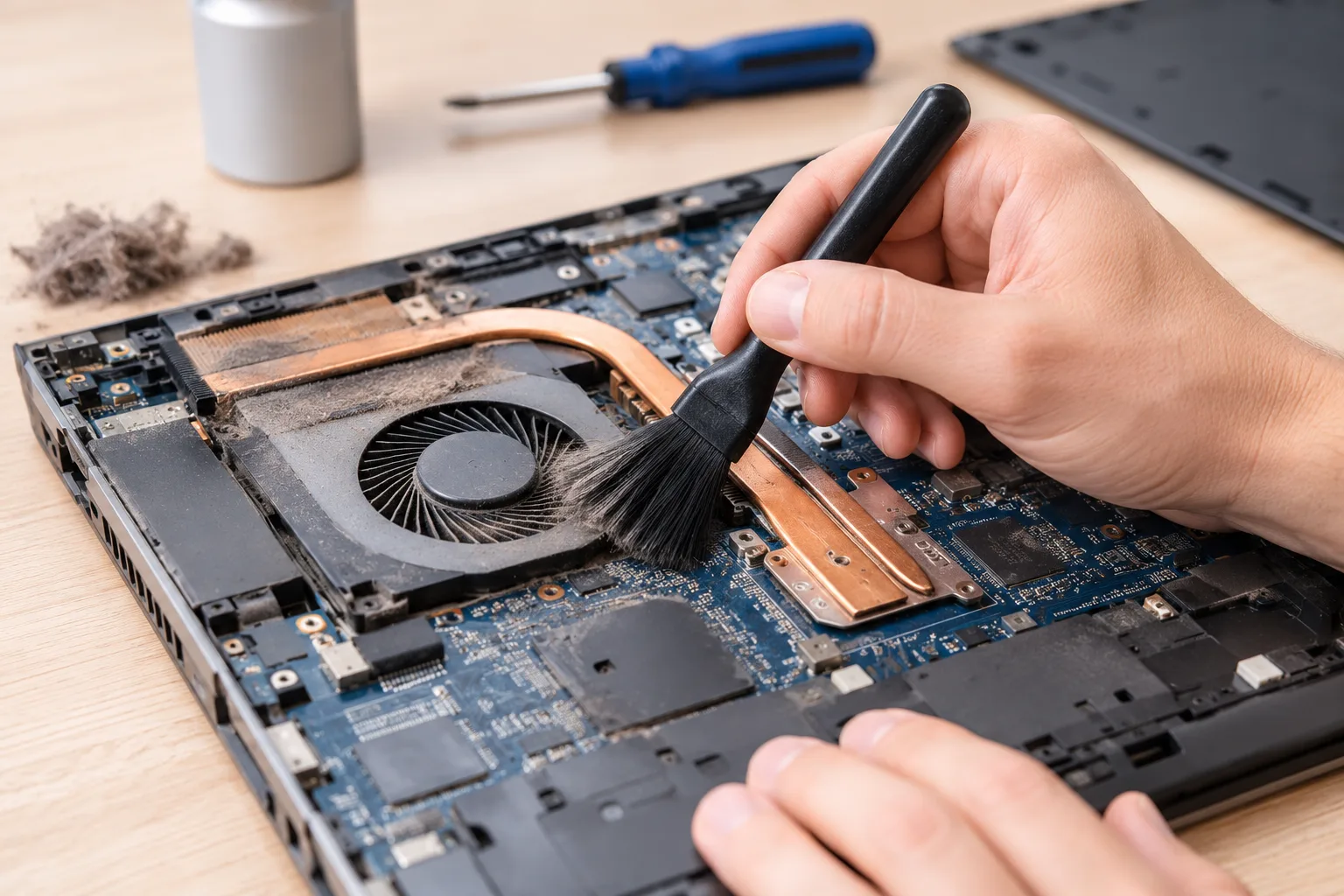
A laptop can work for years without any obvious problems, but dust gradually builds up inside the device. If you are wondering how often you should clean a laptop and replace its thermal paste, the answer depends on how you use it, the environment and the condition of its cooling system. Regular maintenance helps prevent overheating and unnecessary wear on internal components.
Why is regular laptop cleaning important?
Every laptop draws air into its cooling system while running. Along with the air, dust, fabric fibres and other small particles enter the device.
Over time, these particles collect on the fans, heatsinks and cooling fins. As the cooling system becomes clogged, airflow is restricted. This makes it harder for the processor and graphics chip to release heat.
A dirty cooling system can cause several problems:
- The cooling fan becomes louder than usual.
- The laptop gets unusually hot during everyday tasks.
- Performance drops when running demanding applications or games.
- The processor reduces its operating speed because of high temperatures.
- The laptop may shut down unexpectedly when overheating becomes severe.
Cleaning is therefore not just about keeping your laptop looking good. It is an important part of maintaining its performance and reliability.
How often should you clean a laptop and replace thermal paste?
There is no single maintenance schedule that applies to every laptop. The ideal interval depends on the workload and the environment in which the device is used.
As a general guideline:
- Office work and everyday browsing: check the cooling system approximately every 12–24 months.
- Gaming and demanding applications: consider checking it every 6–12 months.
- Dusty environments or homes with pets: inspect the cooling system more frequently.
These are general guidelines, not mandatory service intervals.
Thermal paste has a different purpose from cleaning. It sits between the processor and the cooling assembly, helping transfer heat efficiently. Over time, its properties can deteriorate, which is why its condition should be checked during maintenance.
Replacing thermal paste every year is not necessary for every laptop. The decision should depend on the condition of the existing paste, operating temperatures and the design of the particular model.
What are the signs that your laptop needs cleaning?
Your laptop often gives you warning signs when its cooling system is no longer working efficiently.
Look out for the following symptoms:
- Constant fan noise. The fan runs loudly even when you are browsing the internet or working with documents.
- Excessive heat. The bottom of the laptop or the keyboard area becomes unusually hot.
- Reduced performance. Applications become slower and games start to lag.
- Unexpected shutdowns. The laptop switches off under heavy load because of excessive temperatures.
- Poor airflow. The fan is running, but very little air comes out of the ventilation openings.
Keep in mind that these symptoms do not always mean the laptop simply needs cleaning. A damaged fan, a power-related issue or another hardware fault may be responsible.
What does professional laptop cleaning include?
Proper laptop maintenance involves more than removing dust from the outside of the case. The cooling system needs to be accessed and inspected.
Professional cleaning may include:
- Opening the laptop and removing the bottom cover.
- Cleaning the cooling fan.
- Removing dust from the heatsink and cooling fins.
- Cleaning internal areas of the laptop.
- Inspecting the cooling system.
- Checking the thermal paste and replacing it when necessary.
- Testing the device after maintenance.
We do not recommend opening a laptop without the necessary experience. Incorrect disassembly can damage delicate cables, connectors and other internal components. Some laptop models also require extensive disassembly before the cooling system can be accessed.
You can find more information about this service on our laptop cleaning in Bratislava page.
Why should you not postpone laptop maintenance?
Many people only consider cleaning their laptop when it becomes noticeably loud, overheats or starts slowing down. However, waiting until serious symptoms appear is not the best approach.
Regular inspections help identify dust buildup and other potential problems before they become more serious. During maintenance, it may also be possible to identify a damaged cooling fan or a worn battery.
If the laptop continues to overheat after cleaning, further diagnostics may be necessary. The cause could be related to the power supply circuitry, motherboard or another hardware component.
Laptop cleaning in Bratislava – Iršava Tech
If your laptop is overheating, making excessive fan noise or has not been serviced for a long time, visit Iršava Tech.
We repair iPhones, Samsung and other smartphones, iPads, MacBooks, laptops and desktop PCs. Our services also include liquid damage repairs and motherboard repairs. Common repairs, including battery and screen replacements, are often carried out while the customer is present. We provide a 12-month warranty on parts.
Address: Račianske mýto 1D, Bratislava, Slovakia.
Phone and WhatsApp: +421 952 240 671.